|
|
|
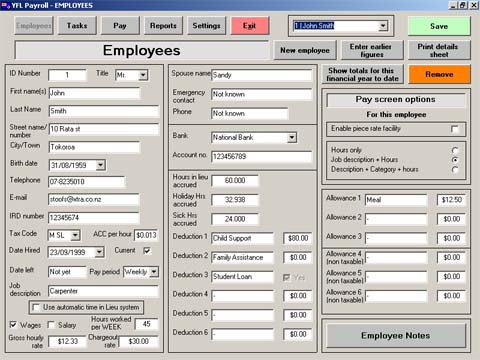
Employees screenInformation on your employees is extensive. The type of pay screen to be used is set here and can be different for each employee as needed.
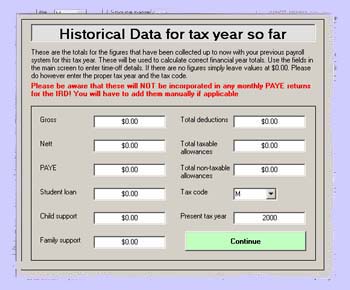
Regular deductions and allowances are entered here and will show up in each pay record automatically. Once there you can alter these, remove them or add one-off items in the final pay screen A unique 'Time in lieu' system is available where your employee has a set number of hours per week (in this instance 45). If he or she works more than this the hours are not paid but kept 'in lieu'. If for some reason the employee can not work a full week the 'time in lieu' can be used to top up the pay. This is particularly useful for weather dependant jobs like building. The IRD number will be automatically verified avoiding errors. Many fields will auto-fill when tabbed past. A sub-screen to enter the amounts for the year to date is accessed from here.
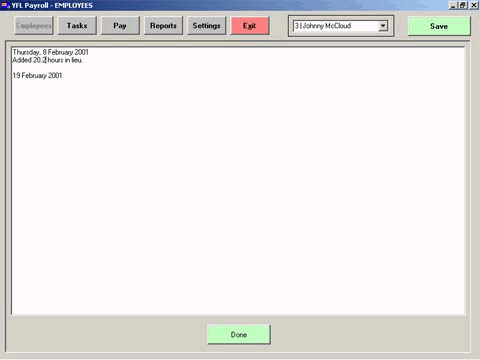
A note field is available. This can be used for general notes on the employee and the program will automatically log when time-off data is changed (either manually or automatically).
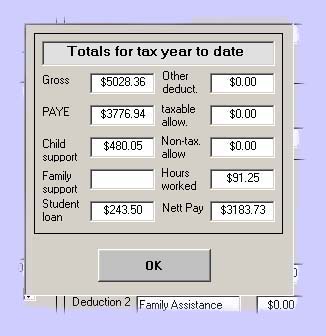
Total figures for year to date for this employee can be quickly accessed from here.
Home | Employees screen | Pay screen | Reports | Settings | Task & categories | Contact us /Trial |